
Turnkey
Tournament
Run the whole event in one system: fighter registration, judging, brackets, a live scoreboard and printed diplomas
A free week with no limits — try the system at your own event
Everything for a tournament in one system
Tournament brackets
The system turns collected entries into brackets — upcoming bouts appear on the tournament page
OrdenX
Web · in the browser
Keeps fighter records, bout history and everything else, and handles registration and entry payments
OrdenX Judge
App · on the computer
Judge online or with no internet at all. Results are stored in the app and sync with the web once a connection is back
Why the web app and the desktop app Work together?
OrdenX Judge runs the judging with no internet, and OrdenX handles registration, payment and storage
No internet
Judge locally
OrdenX Judge
Judging happens right in the app. Every bout and every point is stored on the computer
Network is back
Results sync up
Веб-версия OrdenX
In hybrid mode results appear in the web app on their own, and the organiser carries on without exporting anything by hand
How does it Work?
The organiser sets the event up in OrdenX while the judging crew gets OrdenX Judge ready
Creating a tournament
- Create a tournamentSet the date, the venue, the disciplines and the categories
- Open registrationFighters and coaches apply online
- Set up paymentsTake entry fees right on the site
- Get the bracketsThe system builds them for you
Preparing for judging
- Install the appDownload OrdenX Judge onto the head judge's computer
- Activate accessA trial week or a promo code
- Choose a modeHybrid or offline
- Set up the crewConnect the judges' mice and put the scoreboard on screen
Platform capabilities
Judging that never stops
- Hybrid modebrackets stay online, scoring runs locally
- Fully offlinefighters, brackets and maths all live on the head judge's computer
- Auto-synconce the network is back, results show up in OrdenX
Live judging on a scoreboard
- Up to 5 judgeseach with a button for the red and the blue corner
- Live scorepoints flow into the system and onto the board as they happen
- In plain sightspectators, coaches and fighters see the score in real time
Registration on your terms
- Open on schedulestart taking entries on the date and time you set
- Set up as you likedisciplines, age groups and weight classes
- A fighter's own pagebout details without the scramble at ringside
Flexible pricing
- Different tariffsby discipline or by number of entries
- Registration tiersearly is cheaper, late costs more
- Tuned to your eventpayment rules that fit your format
Brackets and awards
- Automatic bracketsbuilt from the categories
- Your own diplomasupload a template and place the fields
- One-click printingas bouts finish or the whole queue at once
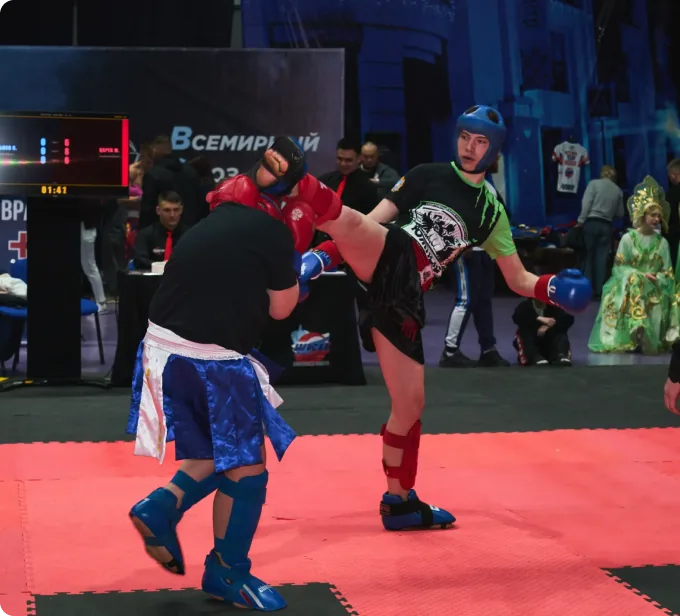
Already running at real tournaments
WKU Russia kickboxing federation
Runs official tournaments on the OrdenX platform


Russian championship 2026
View tournament

Open Kickboxing Tournament
View tournament
Full license and Questions
Liked it on the trial or need a license for a federation? Tell us about yourself — we will get in touch, discuss terms and show the system in action.